Shadow
Timeline
Tools
Overview
Team
Background
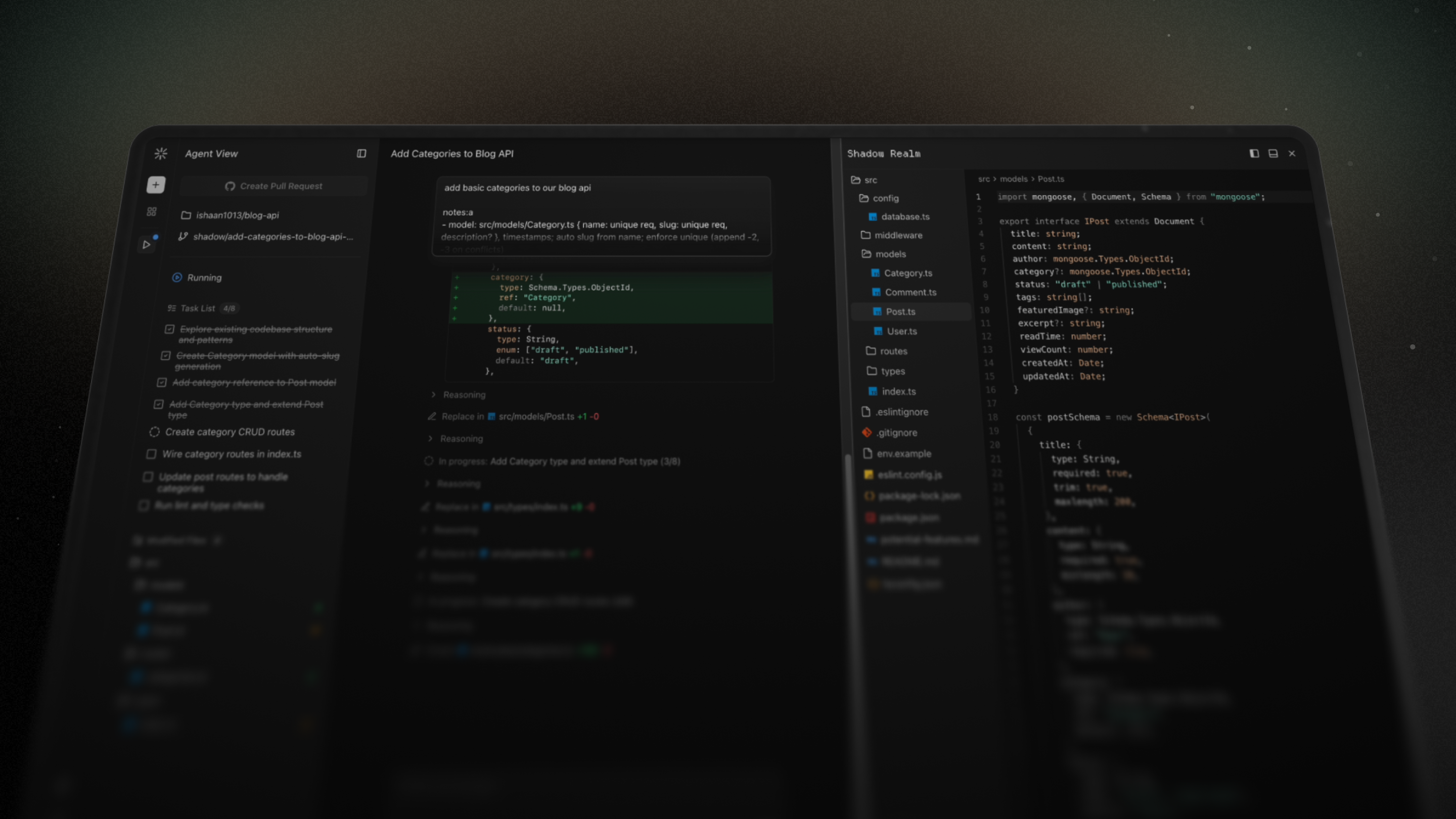
I've recently been doing a lot of work around AI and developer tools, and thought it'd be fun to build my own take on background coding agents.
Coding Agent
A powerful LLM setup with many providers and tools for discovery, editing, and execution.
Background Tasks
A cloud-first architecture for completing long-running coding tasks remotely and in parallel.
GitHub Connection
Work on existing repositories seamlessly, making branches, pull requests, and commits.
Agent Environment
A secure, isolated environment for each task with a filesystem and terminal for the agent.
I also wanted to prioritize freedom of autonomy, from surfacing just the highest-level coding task overview and Git connection actions to giving full insight into the agent's context engine, workspace, tool results, and terminal.
Architecture
Shadow has 3 main parts: the frontend interface, the backend server, and the isolated task environments.
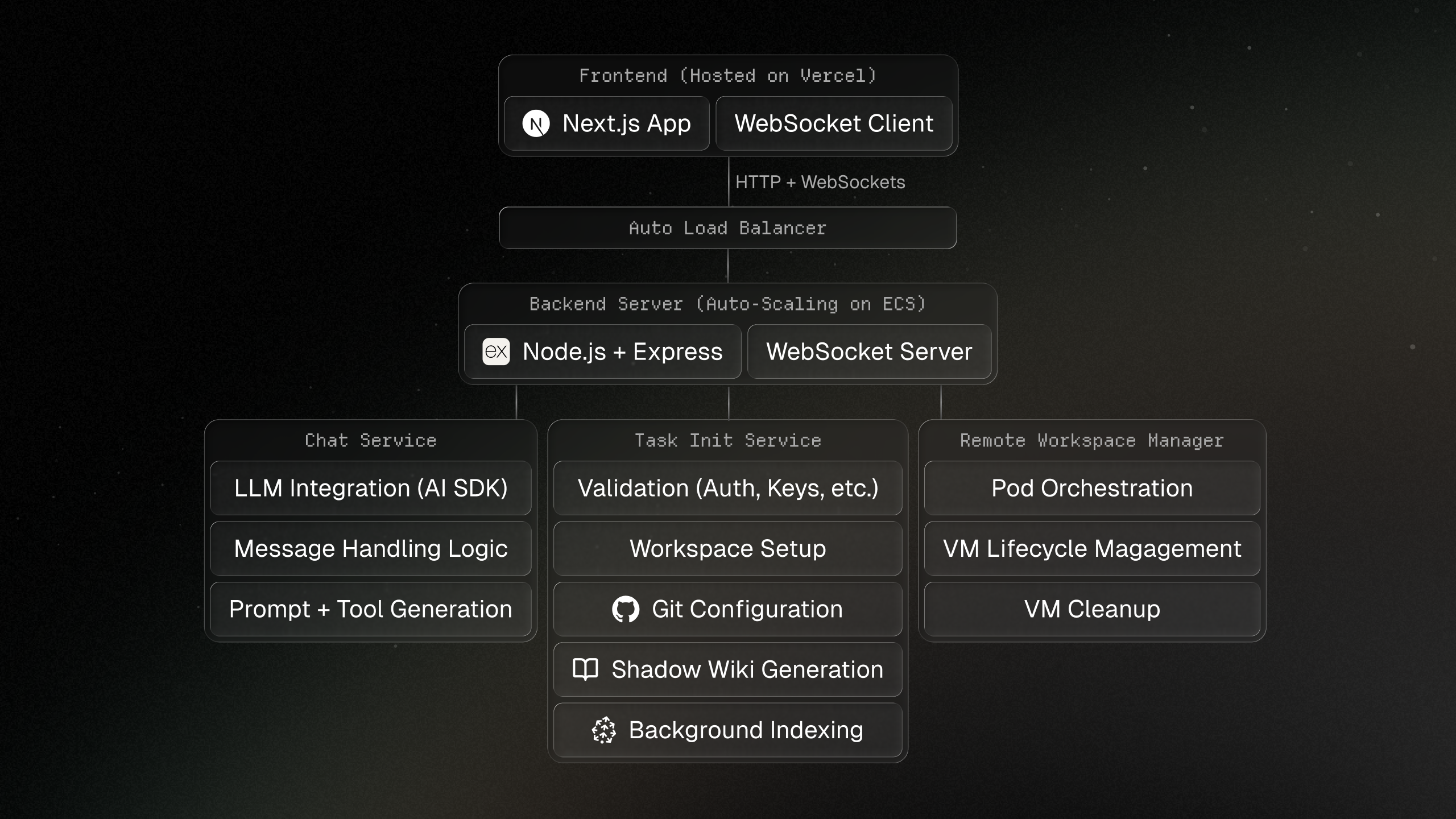
It is a Typescript monorepo using Turborepo as its build system. The frontend is built with Next.js, the backend with Express and Socket.io, isolated environments run in Docker containers through Kubernetes, and the database is PostgreSQL.
Backend Server
Since Shadow is a background agent for long-running tasks, a stateful backend exposes both a REST API and a WebSocket server. Local mode works on files on your machine, while remote mode uses isolated sandboxes in production.
LLM Setup
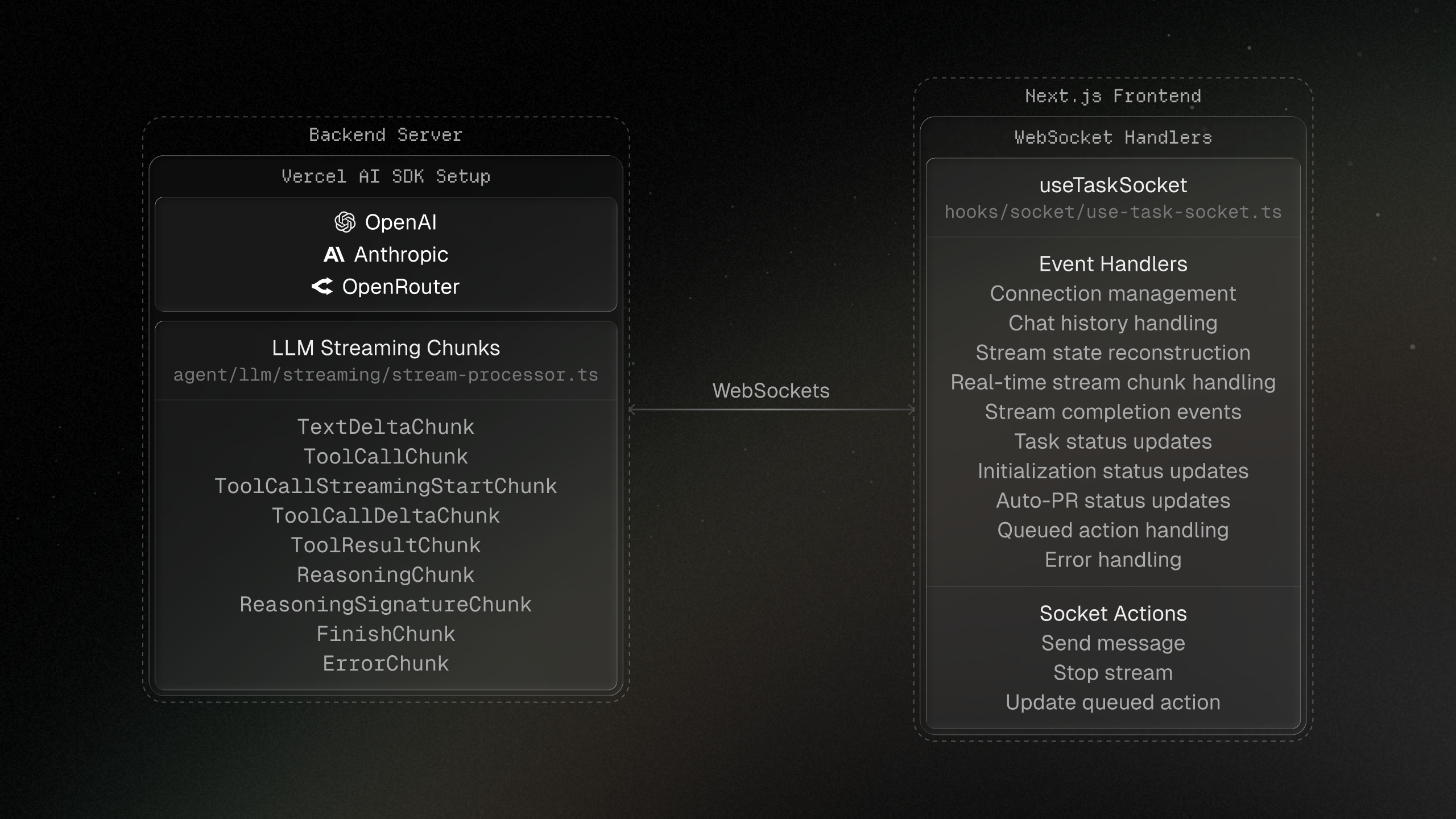
Vercel's AI SDK powers the LLM logic and makes it easier to support many models and providers. The backend creates a stream processor for each active task so clients can connect and disconnect without interrupting long-running workflows.
class StreamProcessor {
  private modelProvider = new ModelProvider();
  private chunkHandlers = new ChunkHandlers();

  async *createMessageStream(taskId, systemPrompt, model, userApiKeys) {
    const modelInstance = this.modelProvider.getModel(model, userApiKeys);
    const tools = await createTools(taskId, workspacePath);
    const result = streamText({ model: modelInstance, messages, tools });

    for await (const chunk of result.fullStream) {
      yield this.chunkHandlers.handle(chunk);
    }
  }
}
The backend has a wide range of tools for file operations, code discovery, terminal execution, task management, and MCP support for up-to-date documentation search.
Indexing
Codebase indexing powers semantic search by creating a graph representation of repositories with nodes for files, symbols, comments, imports, and chunks.
- Language-aware AST parsing with tree-sitter.
- Relationships such as contains, calls, docs for, and part of.
- Large code blocks broken into embedding-friendly chunks.
- Embeddings stored in Pinecone for natural language retrieval.
Shadow Wiki
Shadow Wiki is a codebase documentation system inspired by DeepWiki. It scans repositories, creates hierarchical summaries, and injects useful context into the agent at task initialization.
Agent Environment
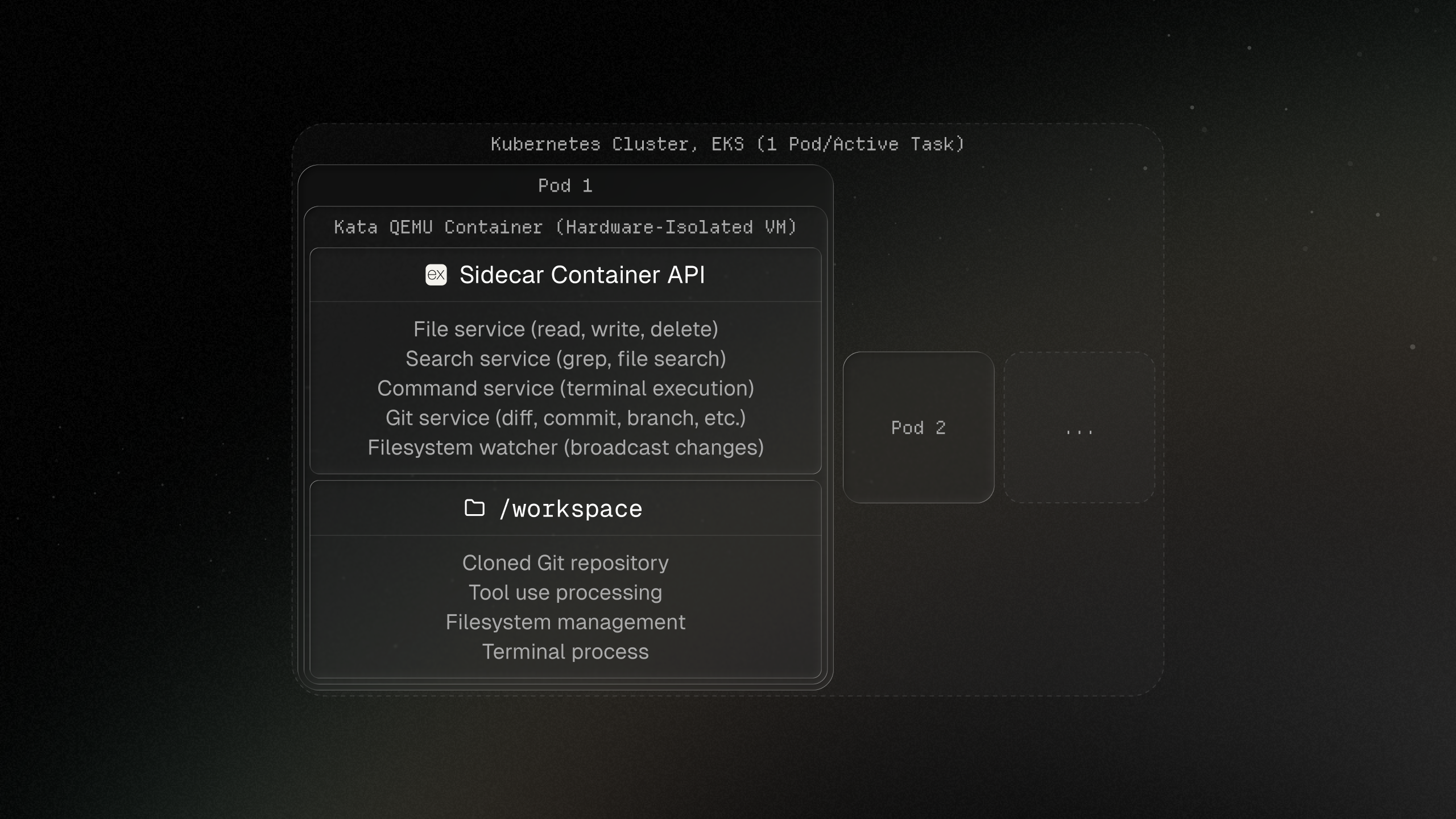
Each agent gets an isolated environment with a filesystem and terminal, so it can work like a developer would while keeping remote tasks separated.
Sidecar
Inside each pod, a sidecar container exposes an HTTP API that bridges the backend server and the VM. It handles files, command execution, Git operations, and code search.
// File operations
const fileService = new FileService(workspaceService);

// Command execution
const commandService = new CommandService(workspaceService);

// Git operations
const gitService = new GitService(workspaceService);
Lifecycle
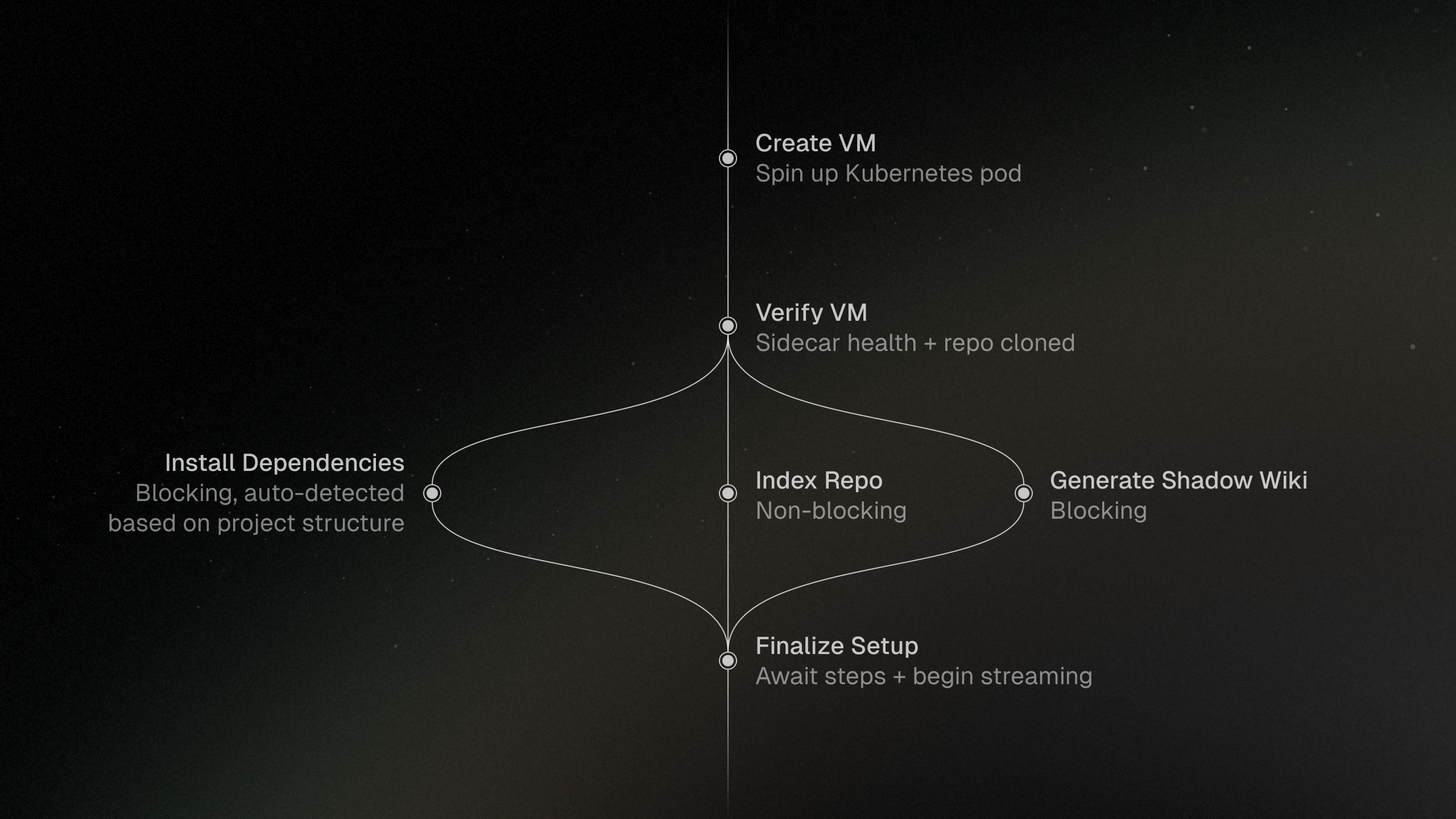
Task initialization follows a state machine pattern, setting granular progress while provisioning environments. Cleanup runs after inactivity to reclaim task resources.
Git Integration
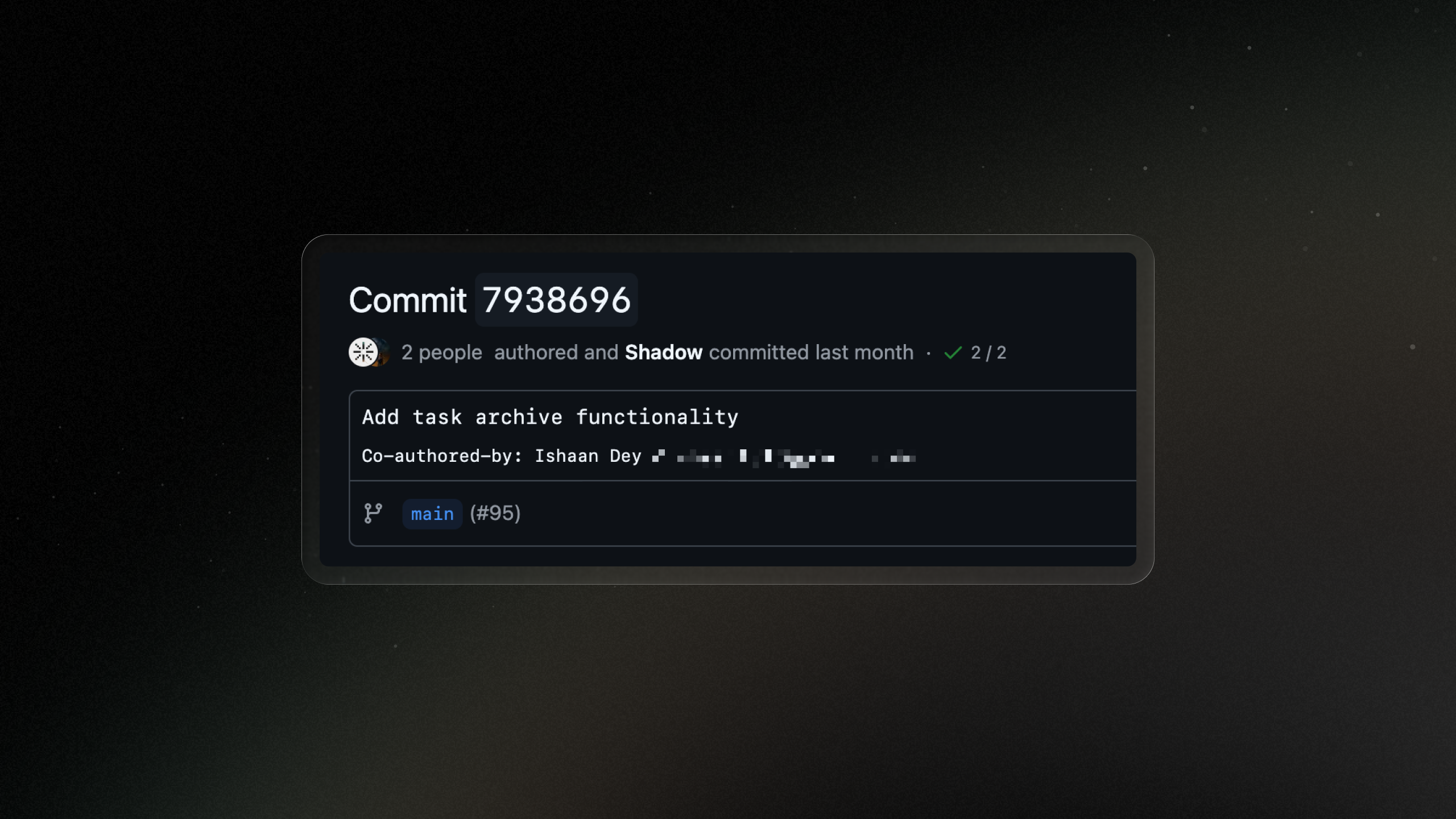
Shadow uses Git as its source of truth for codebase state. On task creation, branches are generated within the selected repository and the interface exposes commits, pull requests, and issues.
Commits
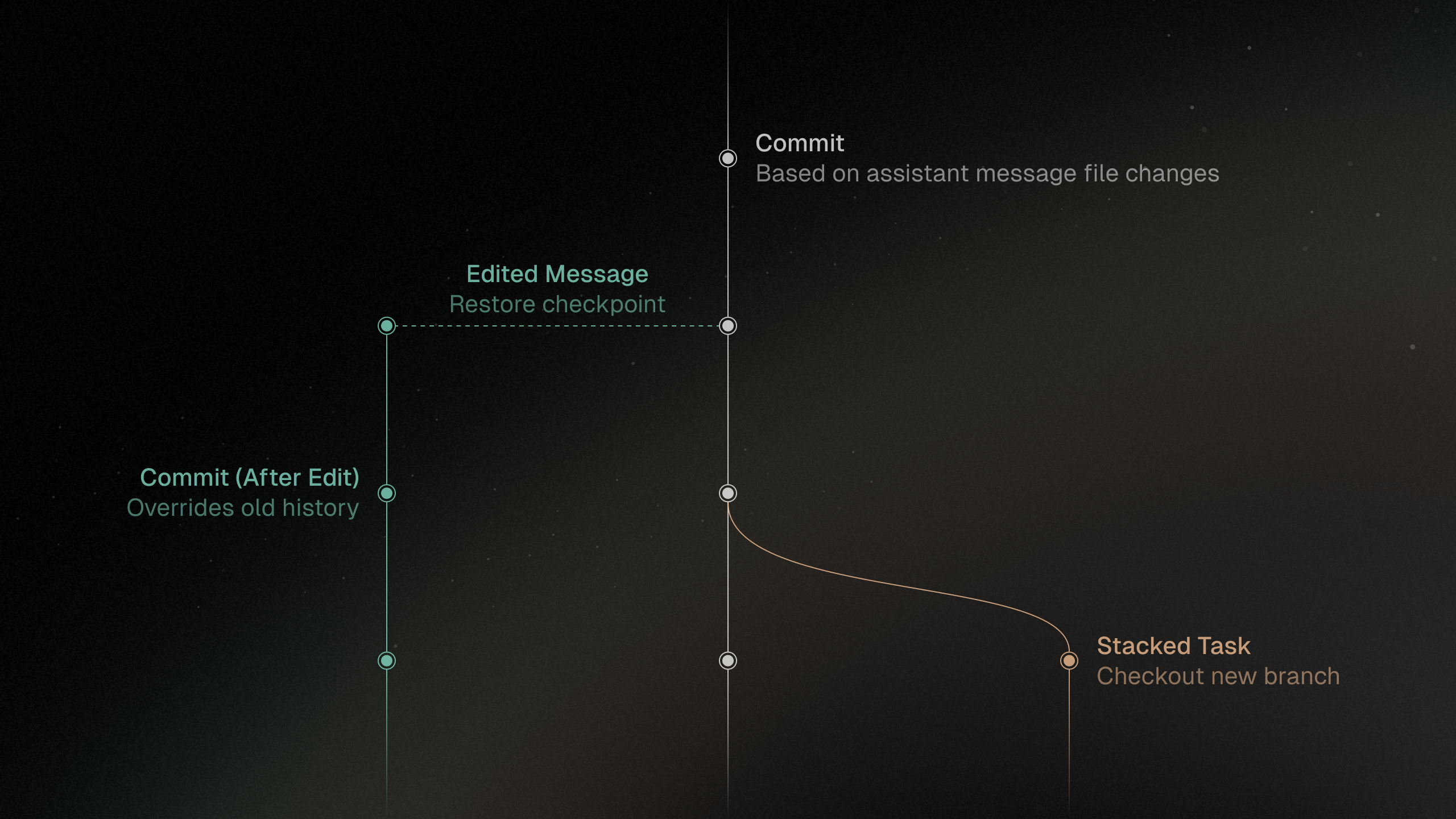
Messages are tied to commits so edited messages can check out the correct state and keep task history aligned with Git.
Pull Requests
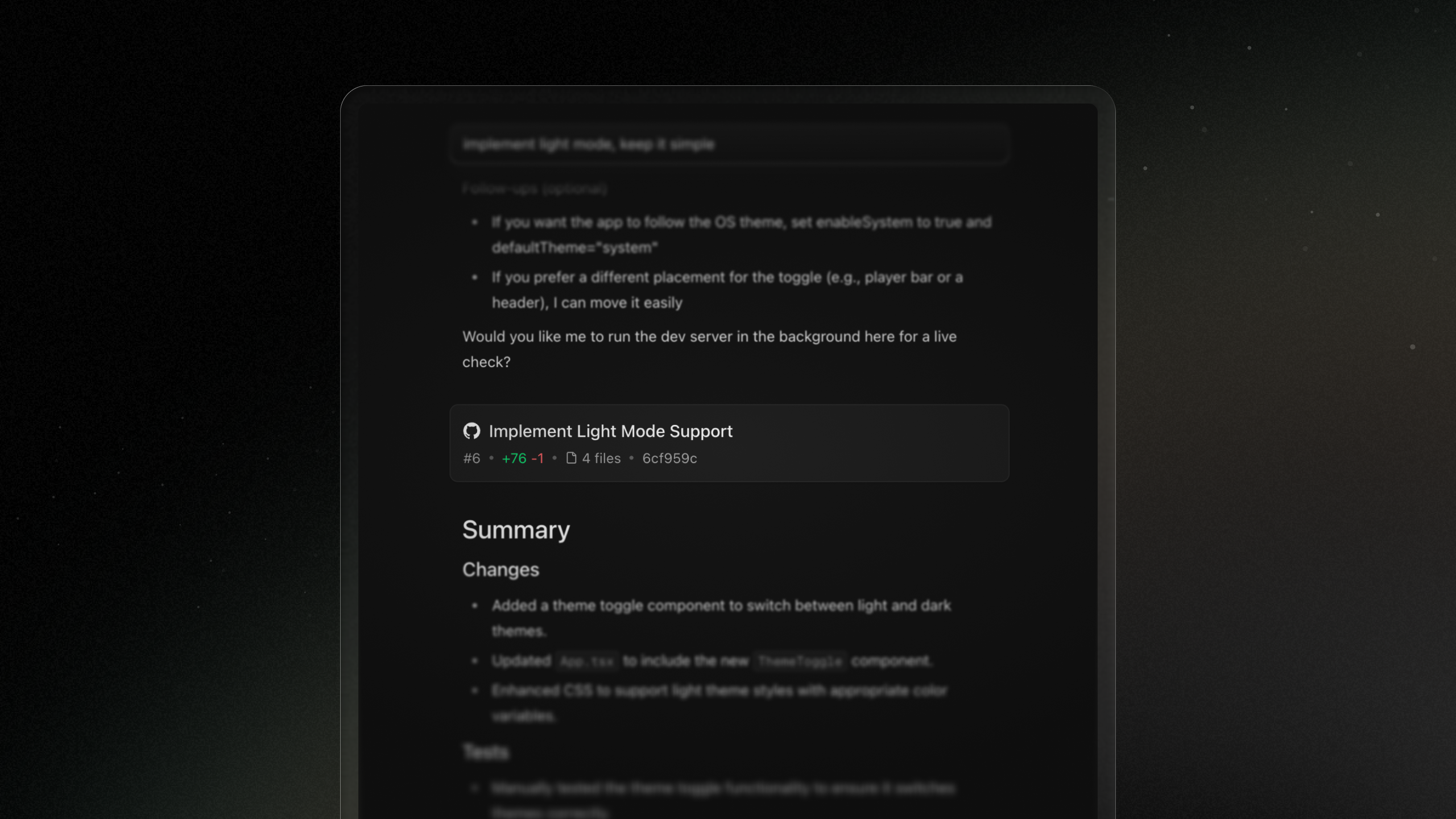
Pull requests are central to the background-agent workflow. The sidebar can create and view pull requests, and PR snapshots are stored alongside chat messages to preserve history.
Issues
Users can trigger tasks directly from repository issues. Issues are fetched by recency and displayed in an expandable list with a small entry animation.
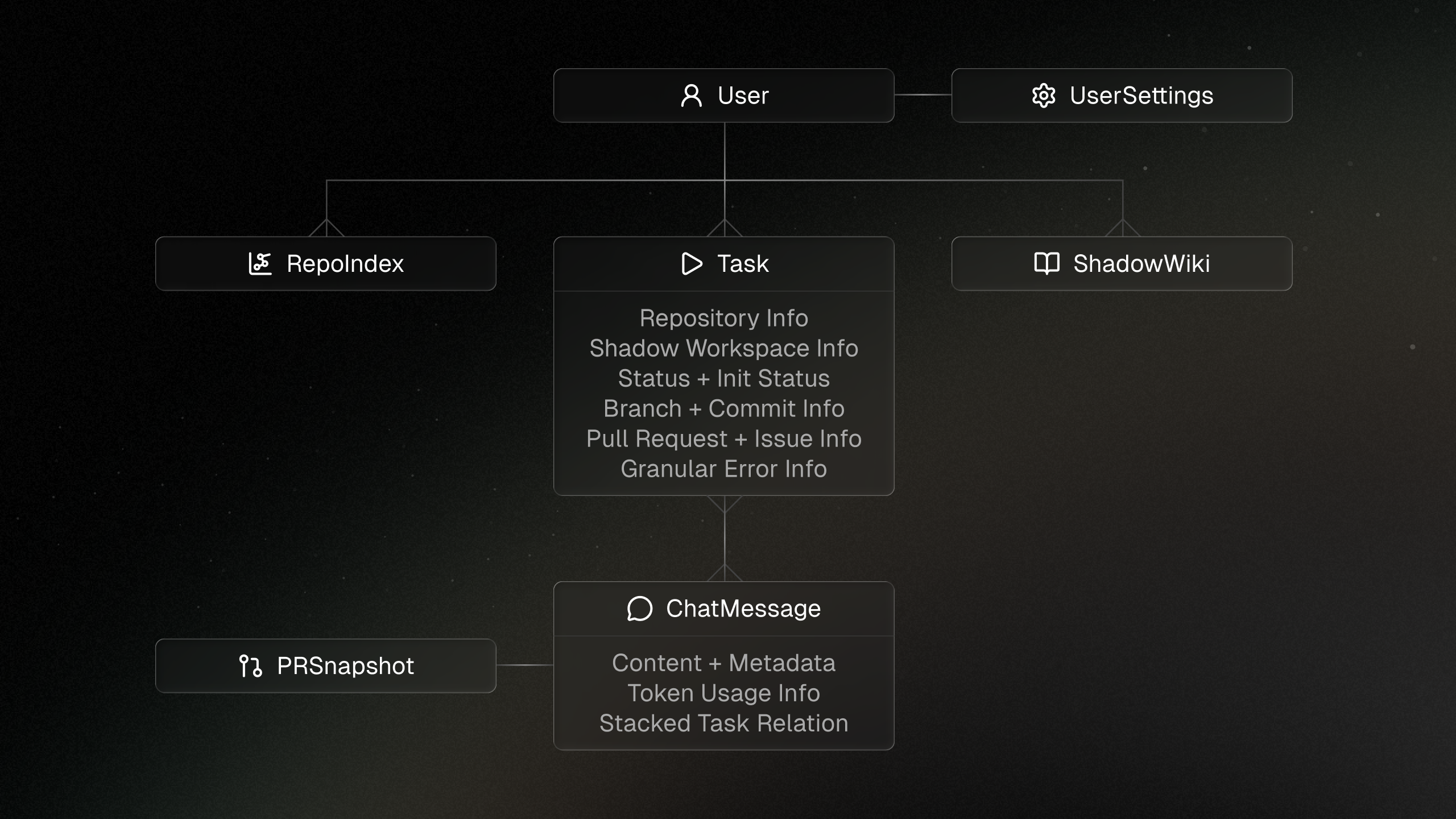
Database
Shadow uses PostgreSQL with Prisma. Streamed assistant messages are stored with debounced database writes, and repository context like indexes and wiki summaries is tied to repositories rather than individual tasks.
Frontend
Shadow's frontend is built with Next.js, Typescript, Tailwind, and Shadcn UI. The interface is designed for long-running work where users need both high-level status and deep workspace control.
Streaming Logic
The frontend merges stored chat history with live stream parts. Chunk IDs make it possible to update assistant output in place, including tool call deltas and reasoning states.
Chat UI
User messages are grouped with assistant responses so prompts can stick near the top while scrolling. Tool calls, reasoning, markdown, stacked PR cards, and message editing all get specialized rendering.
Data Fetching
The app uses React Server Components where possible and hydrates client state for task details, messages, API keys, models, sockets, modals, and agent environment layout state.
Shadow Realm
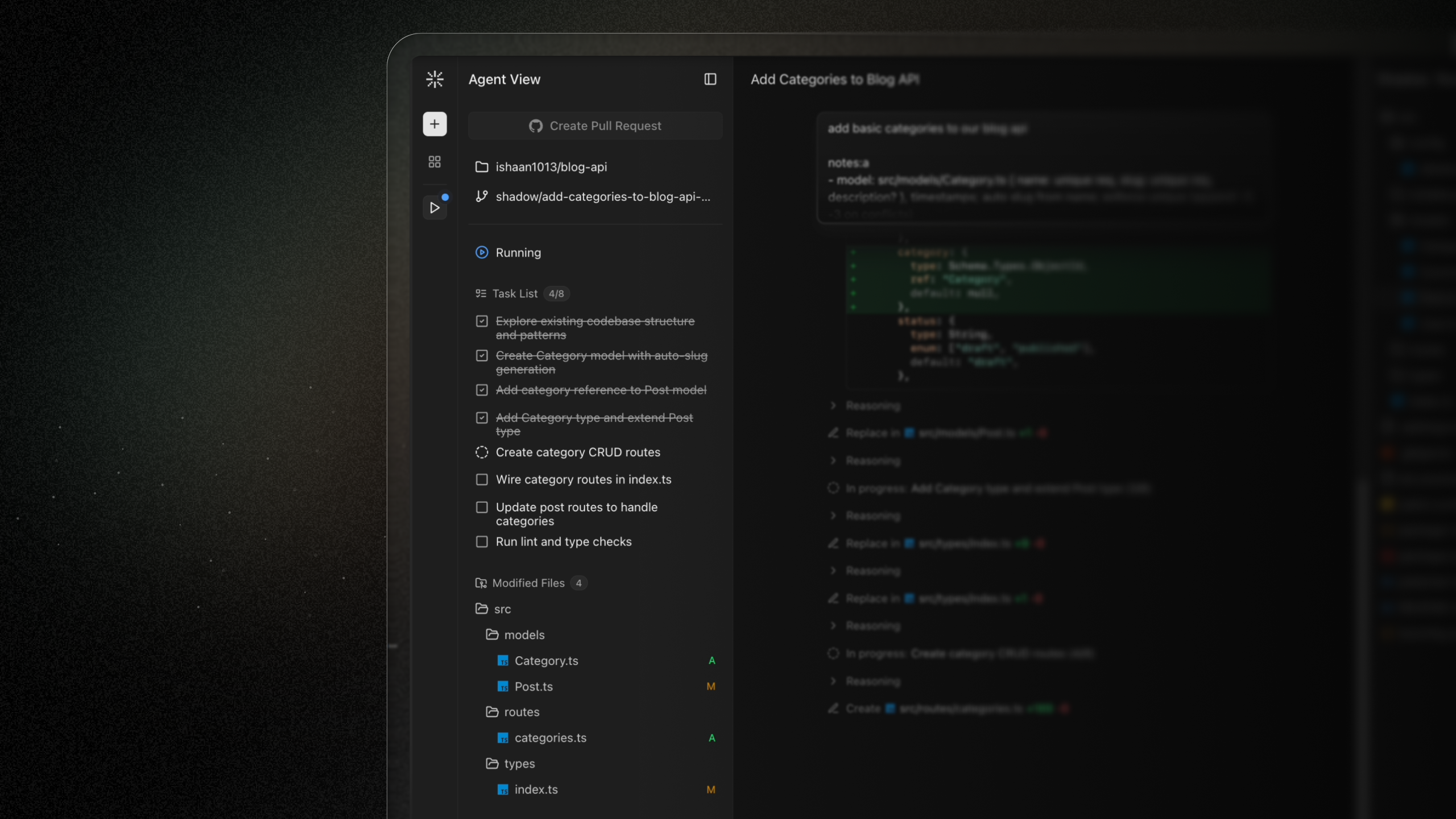
The "Shadow Realm" is the agent environment representation in the frontend: a file tree, code editor, terminal, and Shadow Wiki in a collapsible, resizable layout.
New Task Animation
The new-task animation layers subtle radial and conic gradients around the prompt, inspired by modern agentic interfaces and tuned to feel alive without distracting from work.
Deployment
The frontend deploys on Vercel. Task VMs run on AWS EKS with bare-metal nodes for KVM virtualization, while the backend server is deployed on ECS behind an Application Load Balancer.
Results
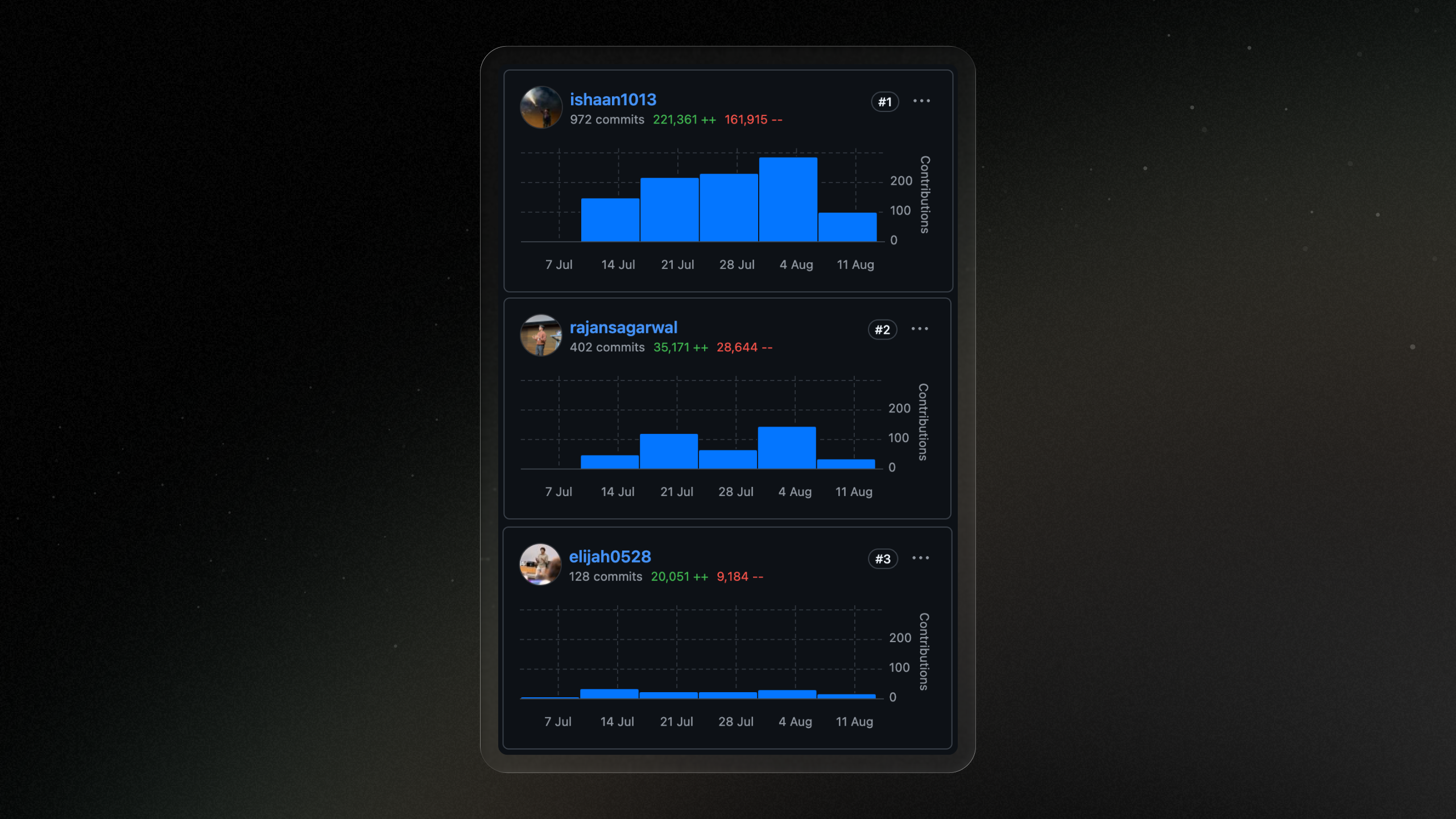
Pretty soon into building, Shadow began contributing to its own codebase. The project became a complete background coding agent after only a few weeks of building.
Takeaways
Coding Agents
Working on tools, prompts, and context engineering for the LLM setup was very rewarding.
Infrastructure
Creating scalable architecture for remote task execution with VMs took lots of exploration.
Design Iterations
The UX needed research and iteration to support long-running background work.
Concurrency
The backend logic centered around durability and parallel task execution.
Next Steps
- Subagents as tools for deeper parallel discovery.
- Browser use with vision capabilities for UI iteration.
- Parallel iterations of the same task across models.
- Dev container support and VM snapshots for faster resumption.
- Timeline views, context compaction, and customizable memories.